Expert Word Connect
Instructions:
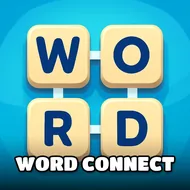
Word Connect is an app designed to train your brain and learn new words all while having a great time Share the fun with your family amp friends and enjoy Word Connect togetherDescription
Expert Word Connect Casual Fun Guide
Some days you just want a puzzle that doesn't demand your entire brain, and that's exactly the lane this one lives in. You've got a cluster of letter blocks, a handful of blanks waiting to be filled, and a crossword-style grid that slowly comes together the more words you spot. No timers screaming at you, no penalty for staring at the same six letters for a minute straight. Just quiet, steady progress, one swipe at a time.
Standout Features
What makes this one click is how forgiving the pace feels while still making you think. You swipe across connected letter blocks to spell out a word, and if it fits somewhere on the crossword board, it locks into place and coins drop into your pile. Miss a spot? No harm, just try another combination, since the letters stay put until you find the right order. The coin collecting gives every round a small reward loop, so even a short session on your lunch break feels like it added up to something. There's also a genuine vocabulary angle here that's easy to overlook at first, because the game keeps nudging you toward less obvious words hiding in the same letter set, the kind you'd skip past if you weren't looking closely. It's built for solo play, low-pressure by design, and structured so you can pick it up for two minutes or twenty without losing your place. Sharing high scores or just talking through a tricky puzzle with family works fine too, since half the fun comes from arguing over which word you both missed.
Controller & Keyboard Guide
- Swipe or drag across letter blocks in sequence to form a word.
- Release on the last letter to submit the word to the puzzle grid.
- Tap a letter block once if you want to back out of a swipe mid-drag.
- Use the shuffle option, if available, to rearrange blocks when you're stuck.
- Watch the crossword outline for letter-count hints before you start swiping blindly.
- Collect coins automatically whenever a correct word lands on the board.